
Fake GPS Location MOD APK (Donate Unlocked)

Images
Mod Info
- Donate Version Unlocked
Description
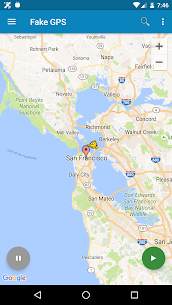
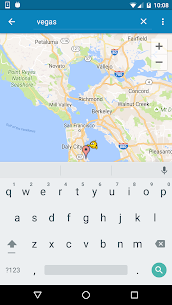
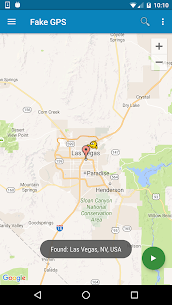
Fake GPS Location Mod APK lets you instantly spoof your phone’s location to anywhere in the world in just two clicks, fooling every app on your device into believing you are actually there — with Tasker support and command line control included.

What Is Fake GPS Location and What Can It Do?
Fake GPS Location Mod APK gives you the power to place your phone virtually anywhere on the planet with just two clicks. The app sets up a convincing fake GPS signal that tricks every other app on your device into believing you are physically present at that location. Whether you want to access location-restricted content, protect your privacy, or simply explore what other regions have to offer, Fake GPS Location puts full control of your whereabouts in your hands.
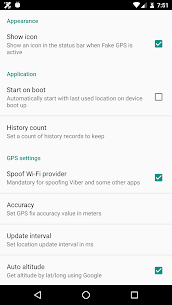
The app also includes Tasker support, meaning you can integrate it into automated workflows and smart phone routines. You can even start and stop the fake GPS signal directly from the command line, giving advanced users a flexible and powerful way to manage their location spoofing. Check the FAQ section for full details on how to set this up.
Important Warning: Your Location May Lock After Uninstalling
Before you dive in, you need to understand one critical behavior that catches many users off guard. After you use Fake GPS Location and then uninstall it, your phone’s location may appear stuck on the last mocked location you set. This is not a bug, and your GPS sensor is not broken — it is simply how the system responds after location spoofing.
You have two reliable ways to fix this issue. First, you can install the GPS Status app from the Play Store, launch it, and let it grab a fresh GPS signal. You may need to repeat this process several times, waiting about 30 minutes between each attempt. Second, you can reopen Fake GPS Location, manually set it back to your real location, and leave it running for several hours so the system recalibrates naturally. Combining both methods speeds up the recovery. Either way, the issue fully resolves itself within one to two days — so stay patient and let the process run its course.
How to Use Fake GPS on Rooted Devices
If your device is rooted, Fake GPS Location unlocks an even more seamless experience. Rooted users can spoof their location without ever enabling the standard “Allow Mock Locations” option in the developer settings. This makes the spoofing process cleaner and less detectable by other apps.
To activate this feature, you need to use Root Explorer or any similar file manager app. Locate the Fake GPS APK file at the following path on your device: /data/app/ru.lexa.fakegps~1.apk. Once you find it, move the file to either /system/priv-app or, if you are running Android 4.3 or older, to /system/app. After moving the file, change its permissions to rw-r–r– and reboot your device. The app will then operate at a system level, giving you full mock location capability without any extra setup.
Troubleshooting: APK File Not Found or Disappears After Reboot
Some users run into a situation where they cannot locate the APK file at the expected /data/app path. If this happens to you, check the alternative location at /mnt/asec/ru.lexa.fakegps/1.apk instead. Once you find it there, copy the file and rename it to ru.lexa.fakegps.apk, then place it in the /system/priv-app folder. This achieves the same result as the standard rooted setup.
If you notice that the APK file disappears from /system/priv-app every time you reboot your device, your phone likely has S-ON mode enabled. Devices running S-ON mode automatically restore the /system folder after each reboot, which removes any files you placed there. To solve this permanently, you need to switch your device to S-OFF mode. A quick search online for your specific device model and S-OFF instructions will point you toward the right tools and steps for making that change.
Download Fake GPS Location Mod APK and Take Control of Your Location Today
Fake GPS Location Mod APK hands you complete control over where your phone thinks you are. Whether you use it for privacy, entertainment, or advanced automation through Tasker and command line tools, the app delivers a smooth and reliable location spoofing experience. Download it today, follow the setup steps that match your device, and start teleporting your phone anywhere in the world with just two clicks.


