
BlurDock: Blur Dock Bar MOD APK (Pro Unlocked)

Images

Mod Info
- Pro Unlocked
Description
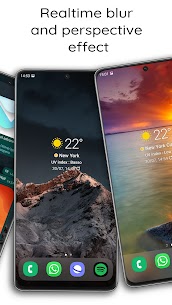
Transform your smartphone’s appearance by recreating a sleek blurred dock bar and modern interface. BlurDock delivers a realistic blur effect combined with accurate perspective rendering, giving your device a refined and immersive look.

Experience Real Blur Effects with True Perspective
BlurDock applies authentic blur processing and perspective depth to your screen. It doesn’t just overlay a filter — it dynamically simulates a natural glass-like blur that adapts to your layout. The result feels smooth, polished, and visually consistent across your interface.
Now Featuring Liquid Glass Simulation
The latest version introduces Liquid Glass Simulation, enhancing the visual depth and fluidity of your dock and background. This feature creates a premium, translucent glass effect that responds naturally to your wallpaper and system theme.
From iWall to BlurDock: A More Powerful Wallpaper App
Previously known as iWall, BlurDock has evolved into one of the most advanced wallpaper customization apps available. It gives you complete control over how your device looks and behaves.
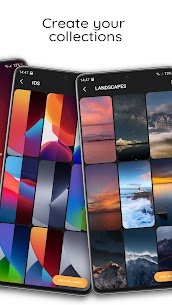
Organize and Manage Your Wallpaper Collections
BlurDock lets you structure your wallpapers into organized collections. You can import images directly from other apps or websites by simply sharing them to BlurDock. You can also build your own personalized collections to keep everything neatly arranged.
Share Themes Instantly
With just one tap, you can share your custom themes with friends. BlurDock simplifies the process, allowing you to distribute your visual setups quickly and efficiently.
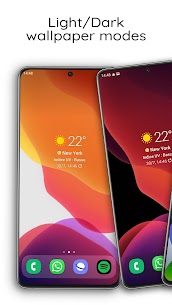
Create Light and Dark Mode Wallpaper Pairs
Design matching wallpaper pairs for Light and Dark modes. BlurDock automatically applies the appropriate wallpaper when your device switches themes, ensuring visual consistency throughout the day.
Change Wallpapers with a Single Tap
BlurDock allows you to switch wallpapers instantly. You can refresh your screen anytime without navigating through complicated settings.
Build a Blur Interface for Any Launcher
No matter which launcher you use, BlurDock creates a compatible blurred interface. It works seamlessly across different launcher environments, giving you flexibility without limitations.
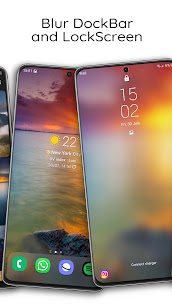
Blur Your Launcher’s Dock Bar
Apply a refined blur effect directly to your launcher’s dock bar. This feature enhances visual harmony between icons and background elements.
Customize the Blur to Match Your Device
BlurDock gives you multiple customization options. You can fine-tune the intensity, style, and appearance of the blur effect so it perfectly matches your phone’s design.
Enable Daily Wallpaper Updates
Activate the Daily Wallpaper feature to automatically refresh your background every day. This keeps your home screen dynamic and visually engaging.
Add Parallax Perspective to Backgrounds
BlurDock applies a parallax perspective effect to all wallpapers. As you move your device, the background shifts subtly, creating a sense of depth and realism.
Sync Effects with Your Phone Theme
The app adjusts visual effects according to your system theme. It applies optimized enhancements for both Light and Dark modes to maintain a cohesive look.
Blur the Lock Screen
Extend the blur effect to your lock screen. BlurDock ensures your entire device interface maintains a consistent aesthetic from unlock to home screen.
Optimize Battery Usage with Dark Effects
Apply darker visual effects to reduce power consumption. BlurDock intelligently activates dark enhancements when your phone enters Power Saving mode, helping you extend battery life.
Powered by Live Wallpaper Technology
BlurDock leverages live wallpaper capabilities to recreate a dynamic blurred interface while integrating smart automation features. This approach ensures smooth performance and visual precision.
Wallpaper Availability Note
Some wallpapers shown in promotional screenshots are not included within the app. However, you can download those images from external sources and easily import them into BlurDock.


