
J4T Multitrack Recorder

Images
Description
J4T Multitrack Recorder turns your phone into a portable 4-track studio, letting songwriters, rappers, and musicians record, layer, and export song ideas as easy-to-share WAV or MP3 files.

Every songwriter and rapper knows the feeling of a great idea slipping away before it gets captured. J4T Multitrack Recorder solves that problem by turning your phone into a compact four-track studio built specifically for capturing song ideas, demos, and sound sketches on the spot. Musicians, rappers, and other creative artists get a familiar, no-frills recording layout paired with modern tools for editing, importing, and exporting — all without leaving their pocket.
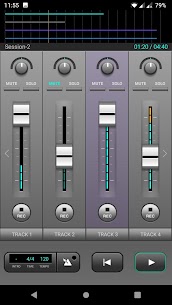
An Interface Built on Classic 4-Track Design
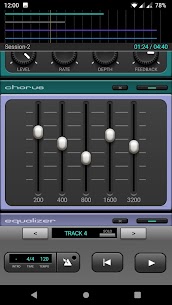
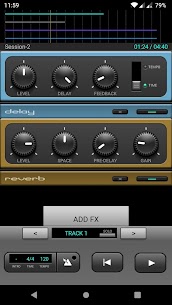
J4T draws its layout straight from the original hardware 4-track recorders that shaped decades of home recording. That familiar structure now comes loaded with modern conveniences, including basic audio editing tools, the ability to pull tracks directly from your phone’s music library, and export options that turn your finished mix into a standard audio file ready to share or drop into other apps. Musicians who grew up on hardware 4-tracks will feel right at home, while newcomers get an intuitive way to learn multitrack recording without a steep learning curve.
How Recording Works
J4T keeps the recording process refreshingly simple, whether you’re laying down a raw idea or building on an existing beat.
To start from scratch:
- Swipe left to open a session, which functions as a project containing four individual tracks.
- Hit “REC” on Track 1 and begin recording your idea immediately.
To record over an existing beat:
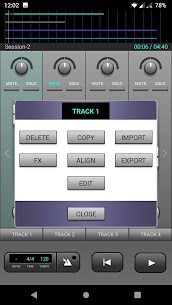
- Tap Import on Track 1 and load a beat, rhythm, or bassline straight from your music collection.
- Plug in a pair of headphones.
- Hit “REC” on Track 2 and sing, rap, or play along while Track 1 plays back through your headphones.
This dual approach means you can either capture a spontaneous idea the moment it hits or build a structured performance over a pre-made instrumental — all within the same app.
Exporting and Sharing Your Mix
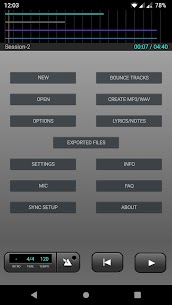
Once your mix comes together, J4T makes it easy to take that project beyond the app itself. The “Create WAV/MP3” option converts your finished multitrack recording into a standard audio file, so you can share it with friends, send it to collaborators, or import it into other production software. This makes J4T a useful first step in a longer production pipeline rather than a closed, one-way tool.
For deeper guidance, the app includes a built-in Info and FAQ section, and users can also reach out by email with specific questions.
What Every User Should Know Before Recording
A few practical details help users get the most out of J4T and avoid surprises down the line:
- Local storage only: J4T stores all project files directly on your phone rather than in the cloud. Anyone switching to a new device should back up the J4T folder first and manually transfer it over, since nothing syncs automatically.
- Headphone playback during recording: While recording, you can hear your other tracks through your headphones as you lay down new parts. Live input monitoring isn’t supported yet, so keep that in mind when tracking vocals or instruments in real time.
- USB device support varies by phone: Connecting an external mic or audio interface depends heavily on your specific device. Some phones handle it with the right settings, while others don’t support it at all. If you run into trouble, the app’s support email is available to help troubleshoot a fix.
Who Should Use J4T
J4T fits naturally into the workflow of:
- Songwriters who need a fast way to capture melodic or lyrical ideas before they disappear.
- Rappers looking to record verses over imported beats without extra gear.
- Musicians who want a simple sketchpad for demos before moving to a full studio setup.
- Anyone who prefers the tactile simplicity of classic 4-track recording in a modern, mobile format.
Start Recording Your Ideas Today
J4T Multitrack Recorder gives musicians a straightforward, portable way to catch inspiration whenever it strikes. From quick voice memos to layered beat-and-vocal recordings, the app covers the essentials without unnecessary complexity. Download J4T, open a session, and start building your next demo right from your phone.
Related apps


Latest Apps
-
 Letterboxd3.6.4 Letterboxd Limited 96.57 MB Pro Unlocked
 -
 Dead Shell1.6.0 HeroCraft Ltd. 243.67 MB Mod Menu
 -
 Luminar4.5.1 Skylum Software 471.03 MB Premium Unlocked
 -
 L’ÉQUIPE10.70.0 L'Equipe 24 / 24 79.58 MB Premium Unlocked
 -
 MEGA16.14(262890140)(d38471f7bb) Mega Networks LLC 92.83 MB Premium Unlocked
-