
OneRead: All Document Reader MOD APK (Premium Unlocked)

Images


Description
Introduction to OneRead – All-in-One File Viewer for Android
OneRead is an all-in-one file viewer and document manager designed for Android devices. The app allows users to open, read, and manage various types of office documents in a single place. Instead of installing multiple apps for different file formats, users can rely on OneRead to handle everything efficiently.
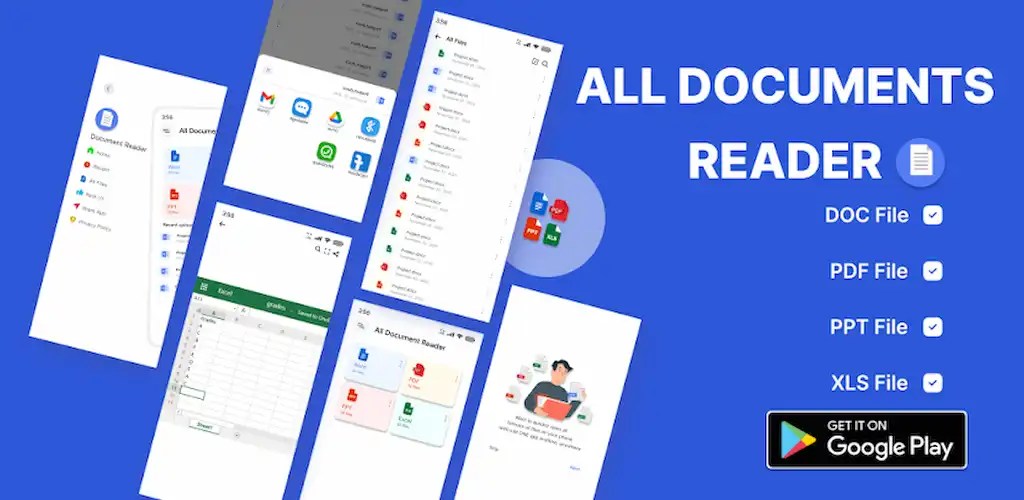
The application focuses on simplicity and convenience. When users open the app, it automatically scans the device and organizes all documents into a structured view. This makes it easy to find and access important files without manually searching through folders.
With OneRead, users can open Word documents, read PDF files, and manage multiple document formats seamlessly. The app provides a clean and user-friendly interface, making document management faster and more practical for everyday use.
Powerful Document Viewer and Manager
OneRead functions as a powerful document viewer that supports multiple file formats commonly used in office environments. The app enables users to view, edit, and share documents directly from their Android devices.
The built-in document reader delivers a smooth viewing experience with optimized performance. Users can quickly open files, edit necessary content, and manage documents without delays. The app also allows users to remove unnecessary files, helping keep their device storage organized.
In addition, users can mark important documents as favorites for quick access. The app also offers sorting options that allow files to be arranged by name, size, or other categories, making document management more efficient.
Supported File Formats
OneRead supports a wide range of popular document formats used for work, study, and daily tasks. This broad compatibility ensures that users can open almost any file type without needing additional applications.
The app supports PowerPoint formats such as PPT and PPTX, allowing users to view presentation slides directly on their phones. It also handles Word files, including DOC and DOCX, so users can read and manage text documents with ease.
For spreadsheet files, the app supports Excel formats such as XLS and XLSX. Users can also open PDF files, which remain one of the most widely used formats for sharing documents.
Beyond these common formats, OneRead also supports TXT and TEXT files for simple document viewing. It includes compatibility with HTML and XHTML files, as well as CSV files commonly used for data storage and spreadsheets.
Simple and User-Friendly Design
OneRead focuses on simplicity to ensure that anyone can use the app without technical knowledge. The interface remains clean and intuitive, allowing users to navigate between documents quickly.
Despite offering powerful functionality, the app maintains a small installation size. This lightweight design ensures that it runs smoothly even on devices with limited storage or lower specifications.
Users can open documents instantly and enjoy a fast and responsive reading experience. The app prioritizes performance so that files load quickly and display clearly on mobile screens.
Efficient File Organization
OneRead helps users organize files stored on their Android devices more efficiently. The app automatically scans and categorizes documents, reducing the time required to locate important files.
Users can sort documents based on different parameters, such as file name or file size. This feature allows quick identification of specific documents, especially when dealing with a large number of files.
The app also enables users to mark frequently used documents as favorites. This function ensures that essential files remain easy to access without scrolling through long lists.
Offline Access and Easy File Sharing
OneRead works completely offline, which means users do not need an internet connection to open or manage their documents. This feature makes the app reliable in situations where connectivity is limited or unavailable.
In addition to viewing and editing documents, users can quickly share files with others. The app provides built-in sharing options that allow documents to be sent through messaging apps, email, or other file-sharing services.
This capability makes collaboration easier, especially when users need to send files to colleagues, friends, or classmates.
Conclusion
OneRead provides a practical solution for anyone who needs a reliable document viewer and file manager on Android. The app combines support for multiple formats, fast performance, and simple navigation into a single lightweight tool.
By allowing users to view, edit, organize, and share documents in one place, OneRead eliminates the need for multiple file-handling applications. Its offline functionality, broad file compatibility, and efficient document management features make it a useful companion for everyday productivity on mobile devices.


