
Tenorshare UltData

Images


Description
Tenorshare UltData is a powerful Android data recovery tool that helps users restore deleted photos, videos, messages, contacts, and files quickly without root access, ensuring a high success rate and secure recovery process.
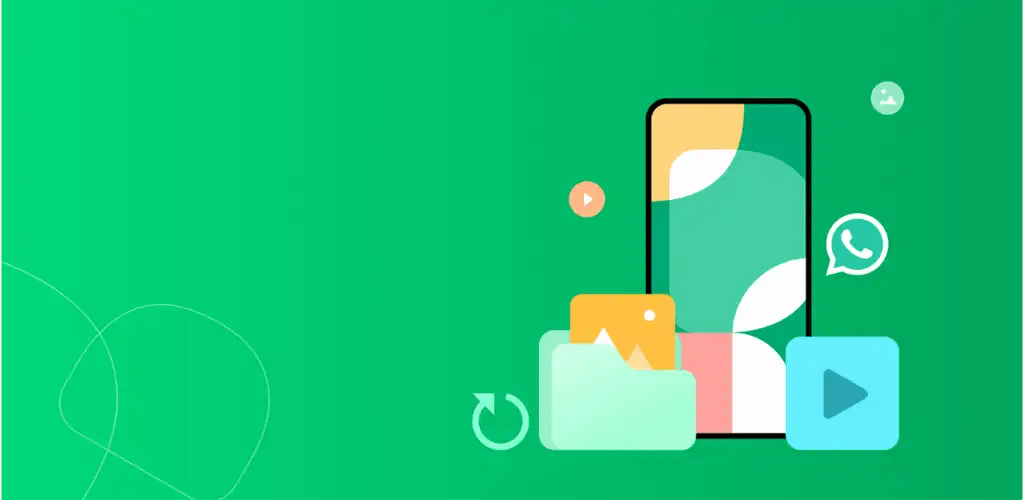
Complete Android Data Recovery with Tenorshare UltData
Tenorshare UltData delivers a comprehensive solution for recovering lost or deleted data on Android devices. The software actively scans both internal storage and SD cards to retrieve various file types, including photos, videos, contacts, documents, and audio files. Whether you accidentally delete important media or lose messages from apps like LINE, Instagram, or Facebook, UltData provides a reliable and efficient recovery process with a strong success rate.
Advanced Photo Recovery Capabilities
Losing valuable photos can be frustrating, but UltData simplifies the recovery process. The app thoroughly scans your device to locate deleted images from internal memory or external SD cards. It allows you to preview recoverable files before restoring them, ensuring you only recover the photos you truly need while maintaining efficiency and accuracy.
WhatsApp and WhatsApp Business Data Restoration
UltData makes it easy to recover deleted WhatsApp and WhatsApp Business data, including messages, photos, videos, voice notes, and documents. The tool works without requiring root access or prior backups, making it highly accessible for everyday users. It streamlines the recovery workflow so you can restore important conversations and files effortlessly.
Efficient Video Recovery System
The software supports recovery of multiple video formats such as MP4, AVI, and MOV. Whether files disappear due to accidental deletion or storage issues, UltData quickly scans your device and restores lost videos within minutes, ensuring minimal disruption to your data.
Recycle Bin Recovery Feature
With its new recycle bin recovery function, UltData detects files stored in the Android system’s recycle bin. This feature eliminates the need for deep scanning, allowing users to instantly recover recently deleted photos and videos in a faster and more convenient way.
Real-Time Deleted File Monitoring
UltData introduces a smart monitoring system that tracks deletion activities once activated. When files such as photos or videos are removed, the app immediately identifies and logs them into a recoverable list. This proactive approach helps prevent data overwriting and significantly increases the chances of successful recovery.
Message Recovery Across Platforms
The tool enables seamless recovery of deleted messages from SMS and various social applications. It ensures that users can restore important conversations, including WhatsApp messages, without needing root permissions, making the process both simple and efficient.
Audio File Recovery Made Simple
UltData uses advanced algorithms to retrieve lost audio files from apps like WhatsApp and LINE. The recovery process requires just a few clicks, allowing users to quickly regain access to important voice recordings or sound files.
Professional Document Recovery
Recovering documents becomes straightforward with UltData. The app supports multiple file formats, including PDFs and DOC files, and allows users to extract and restore deleted documents with minimal effort through an intuitive interface.
Quick Contact Recovery
UltData ensures that losing your contact list is no longer a major concern. The tool rapidly scans your device, displays recoverable contacts, and restores them within seconds, helping you maintain your essential connections.
Why UltData Stands Out
UltData combines ease of use with powerful recovery technology. It operates without root access, supports a wide range of data types, and delivers accurate results through intelligent scanning algorithms. The interface is user-friendly, enabling users to scan, preview, and recover files with just a few clicks. Additionally, the recovery process remains secure, ensuring that your existing data stays intact. Advanced filtering and preview options further enhance efficiency by helping you quickly locate specific files.
Simple Steps to Recover Android Data
Using UltData is straightforward. First, install and launch the application on your Android device. Next, select the type of data you want to recover and initiate the scanning process. Finally, preview the results and restore the files you need with just a few taps.
Final Thoughts
Tenorshare UltData offers a dependable and efficient solution for Android data recovery. From restoring deleted photos and videos to retrieving messages and documents, the app provides a seamless experience backed by smart technology. While it cannot guarantee full recovery in every case, acting quickly after data loss significantly increases the chances of success.
Developer's apps



Latest Apps
-
 8 Ball Pool56.31.0 Miniclip.com 130.17 MB Menu/Long Line
 -
 RAID: Shadow Legends11.76.0 Plarium Global Ltd 162.73 MB Mod Menu
 -
 My Talking Tom Friends26.5.1.25365 Outfit7 Limited 182.39 MB Unlimited Money
 -
 SAKURA School Simulator1.048.11 GARUSOFT K.K. 307.34 MB Unlocked
 -
 RACE: Rocket Arena Car Extreme1.4.36 SMOKOKO LTD 174.57 MB Unlimited Money
-