
USB Media Explorer APK (Full Version)

Images
Mod Info
- Full Version
Description
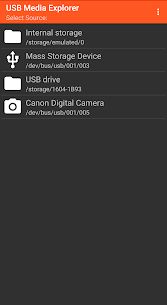
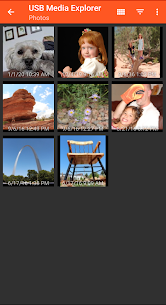
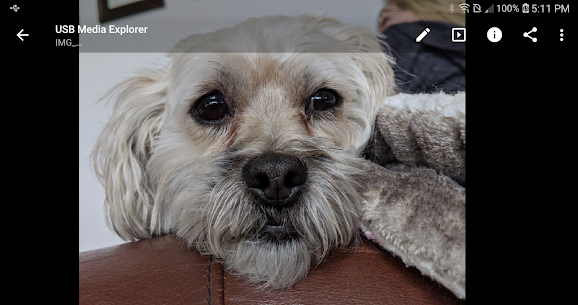
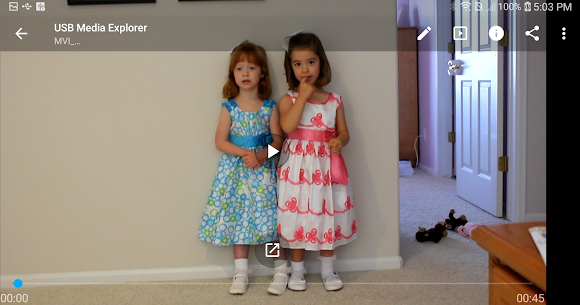
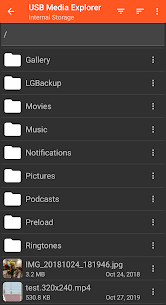
USB Media Explorer (UME), formerly known as Nexus Media Importer, allows you to stream and transfer music, video, photos, and documents from a USB flash drive or card reader connected to your Nexus device (5, 5X, 6, 6P, 7G1, 7G2, 9, 10) or other Android 4.0+ devices with USB Host support.
Download Also: JS USB OTG APK (Paid Version)
Requires the following hardware:
1. An Android 4.0+ device. Please try the free “USB Photo Viewer” first if you do not have a Nexus device. Due to hardware limitations, the Nexus 4 is not supported.
2. An USB OTG (On-The-Go) cable. Costs range from $1-10 USD, see screenshots for examples.
3. An USB Flash Drive or USB Card Reader with a flash memory card inserted, see screenshots for examples. Please see the FAQ on our website if you are trying to connect an external hard drive or another device.
IMPORTANT: To use UME offline, you will have to activate the license by opening it online after installing.
To use:
-If you are using a card reader, but the flash memory card is in the reader first.
-Attach your USB device to the OTG cable.
-Attach the OTG cable to the Nexus or other device.
-The application should launch automatically.
-The File Manager tab can be used to manage and transfer files.
-Use the Connect screen to determine the viewed device and the destination device for the Copy/Move operations.
-The navigation menu to change between Photos, Videos, Document, and the File Manager can be accessed by the three lines in the upper left-hand corner.
Related apps



Latest Apps
-
 PhotoTime: Golden Hour8.2.3 Sunrise & Sunset Times 46.84 MB Premium Unlocked
 -
 AppBlock7.22.0 MobileSoft s.r.o. 129.76 MB Premium Unlocked
 -
 SAI PRO: Split APKs Installer2.2.1 MTV Mobile 7.74 MB Full Version
 -
 SuperVPN3.1.8 SuperSoftTech 41.83 MB VIP Unlocked
 -
 BabyTime4.12.02 Simfler 14.29 MB Premium Unlocked
-