
Call Recorder – SKVALEX

Images
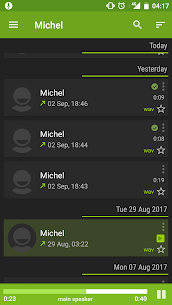
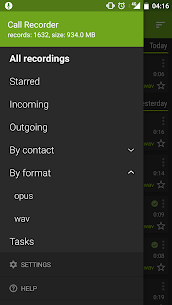
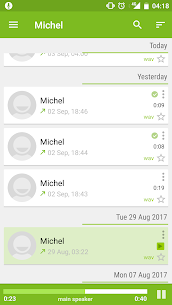
mod info
● Full Version Unlocked
● No Trial Limit
● No Separate Key Needed
Description
Call Recorder – SKVALEX enables automatic call recording on supported devices. The app records both sides of a conversation when the hardware and system allow two-way call recording. However, some devices do not support full two-way recording or may experience limitations, particularly when using Bluetooth connections.

Advanced Recording Management Tools
The application offers comprehensive tools to help you organize and control your recorded calls efficiently. You can quickly search through your recordings to locate specific conversations without wasting time.
The app also allows you to convert audio files from one format to another. For example, you can transform WAV files into FLAC, OPUS, MP3, and other supported formats depending on your storage or quality preferences.
You can add personal notes to each recorded file, making it easier to remember important details about a specific conversation.
In-Call Recording Control
During an active call, the app provides an on-screen control button that allows you to start or stop recording instantly. This feature gives you direct control without navigating away from the call interface.
Secure Access Protection
The app protects your recordings with password or fingerprint authentication. This security layer ensures that only authorized users can access sensitive call data.
Automatic Cleanup System
Call Recorder – SKVALEX includes an automatic cleanup feature that removes old recordings based on rules you define. The system preserves starred recordings and excludes them from deletion, ensuring you never lose important files.
Custom Recording Exceptions
You can configure specific rules for selected phone numbers, contacts, or contact groups. For example, you may instruct the app to always record certain calls or completely exclude others from recording.
Customizable Filename Templates
The app allows you to modify the file naming structure for recorded calls. You can define your own filename template to keep recordings organized according to your preferred format.
Cloud Backup Support
The application supports cloud backup integration, allowing you to store your recordings securely online and prevent data loss.
Flexible Playback Options
You can play recordings using either the main device speaker or the handset speaker, depending on your privacy and listening preference.
Quick Access from Contact Information
The app lets you access call recordings directly from a contact’s information screen. This feature streamlines navigation and saves time when reviewing conversations.
Call Confirmation Feature
Before placing a call, the app can display a confirmation prompt asking whether you want to proceed. This feature helps prevent accidental dialing.
Post-Call Action Dialog
After you finish a call, the app displays a dialog that allows you to decide what to do with the recorded conversation. You can immediately manage, save, or delete the file.
Vibration Notifications
The app provides vibration alerts when a call starts or ends, helping you stay aware of call status without relying solely on visual cues.


