
ClipBox

Images


Description
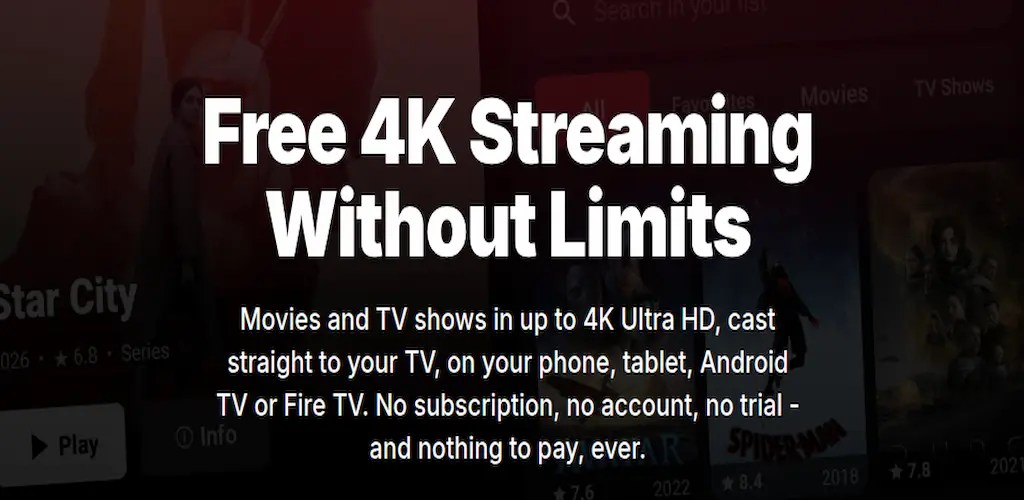
ClipBox MOD APK offers free movie and TV streaming up to 4K Ultra HD with Chromecast, DLNA, Android TV, Fire TV, subtitles, picture-in-picture, and smooth playback.
ClipBox MOD APK
ClipBox MOD APK brings a flexible movie and TV streaming experience directly to your Android device without requiring a traditional subscription. The application lets you browse and watch a wide range of movies and TV shows in resolutions up to 4K Ultra HD, depending on the available source. You can watch content on your phone or tablet, or move the experience to a larger screen through Chromecast, DLNA-compatible smart TVs, Android TV, Google TV, and Fire TV.
ClipBox focuses on a lightweight and straightforward viewing experience. You do not need to deal with complicated menus or unnecessary features before starting a video. The application keeps the interface clean while providing useful playback tools, personalized watch features, subtitle controls, and automatic source selection.
Free Movies and TV Shows
One of the main attractions of ClipBox is its free streaming approach. The platform provides access to movies and TV shows without requiring a conventional subscription, trial period, or recurring payment. You can browse its library and choose the content you want to watch without going through a lengthy registration process.
The application also provides recommendations based on the content you watch and favorite, helping you discover new titles more quickly. Its search system uses optimized indexing to return results quickly, even when you are looking through a large library.
Up to 4K Ultra HD Streaming
ClipBox supports video playback at resolutions of up to 4K Ultra HD, or 2160p, when the selected source provides the required quality. The application automatically considers the available streams and can select an appropriate source for playback.
You can also pin your preferred video quality so playback starts with your chosen setting whenever the source supports it. This gives you more control over image quality and helps you avoid repeatedly changing the resolution when starting another title.
Smart Source Selection
ClipBox uses automatic source selection to make playback more reliable. Instead of forcing you to manually test different sources, the application evaluates available streams and selects what it considers the best option.
If the current source becomes unavailable or starts to stall, ClipBox can automatically switch to another available source. This failover system helps reduce interruptions and keeps playback moving without requiring you to stop the video and manually select another stream.
Chromecast and Big-Screen Support
ClipBox makes it easy to move your viewing experience from a mobile device to a television. With Chromecast support, you can send a selected movie or TV show to a compatible Chromecast device with a single tap.
The application also supports other casting technologies, including DLNA and UPnP receivers. This means you can potentially stream content to compatible smart TVs, consoles, and set-top boxes without relying exclusively on Chromecast. Subtitles can also carry over during casting, making the experience more convenient when watching on a larger display.
Android TV, Google TV and Fire TV
ClipBox also supports Android TV, Google TV, and Fire TV devices. Once installed on a compatible television or streaming device, you can navigate the application directly with a remote control.
The TV experience covers browsing, playback, and subtitle controls, allowing you to use ClipBox without constantly reaching for your phone. This makes the application suitable for users who prefer watching movies and TV shows from the comfort of a larger screen.
Smart and Synchronized Subtitles
Subtitles play an important role in the ClipBox viewing experience. The application can automatically search for subtitles and, when requested, translate them into your preferred language.
ClipBox also attempts to keep subtitles synchronized with the audio so that dialogue remains aligned with what happens on screen. You can customize subtitle size, color, outline, and timing offset according to your preference. These settings remain useful even when you cast your video to another display.
Personal Watch List
ClipBox includes a personal watch list that lets you save movies and TV shows you want to watch later. Instead of searching for the same titles repeatedly, you can add them to your private library and return to them whenever you are ready.
Your watch list can also synchronize across supported devices when you use an account. This makes it easier to continue managing your collection when switching between different screens.
Watch History and Auto Resume
The application keeps track of your viewing history so you can remember what you have already watched. History synchronization also helps maintain continuity between devices when your account is enabled.
ClipBox includes an auto-resume feature as well. If you close the application while watching an episode or movie, the app remembers where you stopped. When you return later, you can continue from approximately the same point instead of searching for the last scene manually.
Picture-in-Picture Mode
ClipBox supports picture-in-picture playback for compatible devices. This feature allows your video to continue playing in a small floating window while you use another application.
For example, you can continue watching a movie while replying to messages, browsing the web, checking information, or performing another task. Picture-in-picture makes the application more practical for multitasking without completely interrupting playback.
Privacy-Focused Streaming Experience
ClipBox emphasizes a privacy-focused approach and states that it does not use Firebase, third-party analytics systems, or advertising-profiling SDKs. According to the application’s description, the usage information it collects remains anonymous, stays on its own servers, and does not get sold or shared.
An account remains optional, and the application states that creating one does not require an email address. This approach can appeal to users who prefer to minimize the amount of personal information associated with their streaming activity.
Gesture Controls and Built-in Updates
ClipBox includes gesture-based controls that make playback adjustments faster. You can swipe to control brightness, volume, and playback seeking, while double-tapping can skip through the video.
The application also provides built-in update notifications. When a new version becomes available, ClipBox can notify you so you can update the application with only a few taps instead of manually searching for the newest release.
Lightweight and Modern Interface
ClipBox uses a polished dark interface with an adaptive material design. The developers focus on keeping the interface lightweight so the application can remain responsive across different supported devices.
The application supports Android 7 and newer versions, giving users with older compatible devices an opportunity to use the same general streaming experience. Its streamlined design reduces unnecessary visual elements and keeps the focus on browsing and watching content.
Fast Search and Personalized Recommendations
Finding a movie or TV show does not have to take several minutes. ClipBox uses optimized search indexing to help return results quickly when you search for a specific title.
The recommendation system also considers what you actually watch and favorite. Over time, this can make the discovery process more relevant because the application can prioritize content that matches your viewing habits rather than showing completely random recommendations.
Smooth Playback with ExoPlayer Media3
ClipBox uses ExoPlayer Media3 as its playback engine, providing a modern media playback foundation for Android devices. The player supports smooth rendering, frame-accurate seeking, and adaptive bitrate playback.
Adaptive bitrate technology can adjust streaming quality according to available network conditions. When casting, ClipBox also supports high and adaptive bitrates on compatible devices. Combined with automatic source failover, these features are designed to reduce buffering and provide a more consistent viewing experience.
High-Quality Casting Without Extra Software
The casting system lets you send content from ClipBox to compatible Chromecast, Google TV, and DLNA smart TV devices. The application carries supported subtitles along with the playback session, so you do not necessarily need a separate subtitle setup on the receiving device.
This makes ClipBox convenient for users who prefer watching on a television while still using their smartphone or tablet as the control device. The experience can move from a small mobile screen to a large display without requiring complicated additional software.
ClipBox MOD APK Features
ClipBox MOD APK is designed around a collection of features intended to make streaming more flexible and convenient. Depending on your device and the available sources, you can access high-resolution playback, smart source selection, Chromecast casting, DLNA support, Android TV compatibility, subtitle customization, watch lists, synchronized history, auto resume, picture-in-picture, gesture controls, and adaptive streaming.
The actual availability of specific features can vary depending on your Android version, device hardware, casting receiver, network connection, and the source providing the video.
Why Choose ClipBox?
ClipBox stands out by combining a lightweight interface with features that are normally spread across several streaming applications. You can search for content, manage a personal watch list, resume unfinished videos, customize subtitles, use picture-in-picture, and cast to compatible large-screen devices from one application.
Its support for resolutions up to 4K also makes it appealing to users with high-resolution displays and compatible internet connections. At the same time, adaptive bitrate playback and automatic source switching aim to keep streaming stable when network or source conditions change.
Final Verdict
ClipBox MOD APK provides a feature-rich streaming experience focused on free access, high-resolution playback, and flexible device support. With streaming capabilities of up to 4K Ultra HD, Chromecast and DLNA casting, Android TV and Fire TV support, customizable subtitles, automatic source selection, watch history, auto resume, and picture-in-picture playback, the application offers many useful tools for everyday viewing.
Its lightweight design and ExoPlayer Media3 foundation also help create a responsive playback experience across supported Android devices. For users who want to watch movies and TV shows across phones, tablets, and compatible big-screen devices, ClipBox provides a convenient all-in-one streaming interface without the complexity of a traditional subscription-based setup.
Related apps


Latest Apps
-
 Forgotten Memories: Remastered1.9.145 Psychose Interactive Inc. 3861.78 MB Full Game
 -
 Grok1.1.49-release.00 SpaceX Super Intelligence 48.31 MB Premium Unlocked
 -
 XNXX1.63.1 XNXX 17.38 MB Premium Unlocked
 -
 Spotify9.1.94.1929 Spotify AB 87.68 MB Premium Unlocked
 -
 CapCut19.10.0 Bytedance Pte. Ltd. 310.97 MB Pro Unlocked
-