
Multi Cloner
Multi Accounts dev
12 MB
1.2.5.10
7.0

Premium Unlocked
Images


Description
Multi Cloner is a lightweight, no-root Android app that lets you clone and run multiple instances of your favorite apps — including WhatsApp, Facebook, Instagram, and games — all on a single device, making multi-account management effortless and secure.
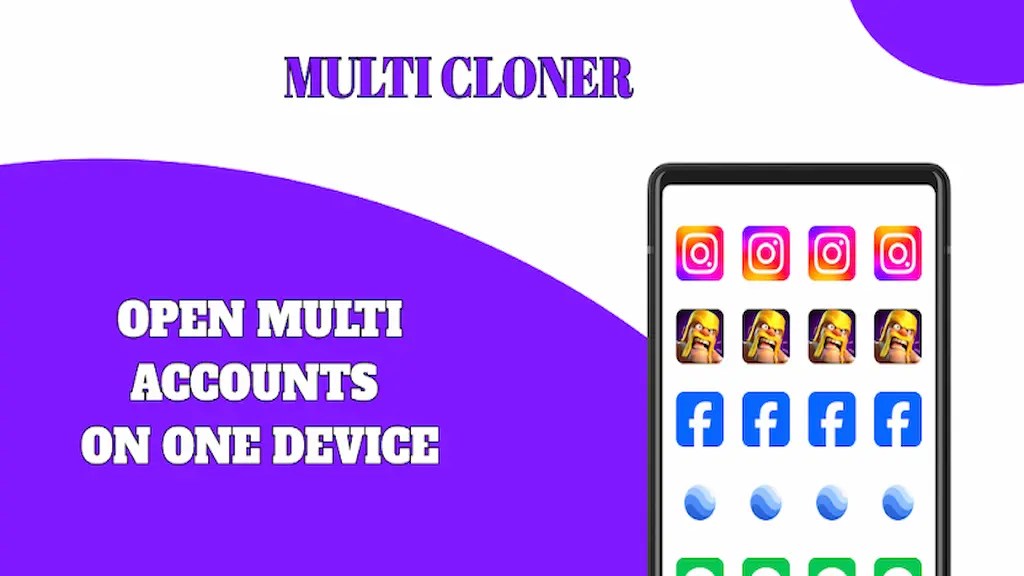
One Device, Endless Possibilities — Manage All Your Accounts in One Place
Juggling multiple accounts across different apps has always been a hassle. Whether you run a business alongside a personal life, manage several social media profiles, or simply want to separate your gaming accounts from your everyday apps, switching between profiles on a single device used to mean constant logging in and out. Multi Cloner puts an end to that frustration entirely.
Multi Cloner is a powerful Android app that lets you clone and run multiple instances of your favorite applications all at the same time on one device. You can operate two or more WhatsApp accounts, keep separate Facebook and Instagram profiles active simultaneously, and even run multiple copies of your favorite mobile games — all without ever needing to log out. The app transforms the way you use your phone, giving you the kind of flexibility that modern life demands.
No Root Required — Works on Any Android Device Right Out of the Box
One of the biggest concerns people have when exploring app cloning tools is whether the process requires rooting their device. Rooting voids warranties, exposes your phone to security vulnerabilities, and can permanently damage your system if something goes wrong. Multi Cloner eliminates that risk entirely.
The app works on any standard Android device without requiring root access or any complicated technical modifications. You simply install Multi Cloner, select the app you want to clone, and let the tool do all the heavy lifting. There are no hidden settings to dig through, no developer mode tricks to activate, and no risk of damaging your device in the process. Anyone can use it, regardless of their technical background.
One-Click Cloning — Set Up Multiple Accounts in Seconds
Multi Cloner builds its entire experience around simplicity. The app features a clean, straightforward interface that guides you through the cloning process with just a single tap. You select the app you want to duplicate, confirm your choice, and Multi Cloner creates a fully functional clone that runs independently from the original.
The cloned app behaves exactly like the original — it receives notifications, syncs data, and operates with full functionality. You can switch between your original and cloned versions instantly without any interruption to your workflow. Whether you are responding to a client message on your work WhatsApp while keeping your personal account active in the background, or grinding two separate game accounts at the same time, Multi Cloner handles it all without breaking a sweat.
Lightweight and Fast — No Impact on Your Phone’s Performance
Many users worry that running multiple app instances simultaneously will drain their battery, slow down their device, or eat up precious storage space. Multi Cloner addresses these concerns head-on with a performance-first design philosophy.
The app runs efficiently in the background, consuming minimal battery power and storage compared to other cloning solutions on the market. Your phone continues to run smoothly even when you have several cloned apps active at the same time. Multi Cloner optimizes its processes to stay as lightweight as possible, so you enjoy the benefits of multi-account management without sacrificing the speed and responsiveness of your device.
Secure and Isolated — Keep Your Accounts and Data Completely Separate
Privacy and security sit at the core of what Multi Cloner offers. When you clone an app, the tool creates a completely isolated environment for each instance. Your work account data never mingles with your personal account data, and each cloned app operates in its own secure sandbox.
This isolation protects your sensitive information and ensures that activities in one account cannot accidentally affect another. You stay in full control of which data belongs to which profile at all times. For professionals who handle confidential client communications, or for anyone who simply values keeping different areas of their life neatly organized, this level of separation provides genuine peace of mind.
Perfect for Work, Gaming, and Social Media
Multi Cloner fits naturally into a wide range of everyday use cases. Professionals use it to keep work and personal messaging apps active at the same time, eliminating the need to carry two phones. Social media managers run multiple brand accounts and personal profiles simultaneously without constant switching. Gamers maintain separate accounts to access different servers, manage multiple characters, or take advantage of regional differences in game content.
Whatever your reason for needing multiple accounts, Multi Cloner delivers a solution that is fast, safe, and genuinely easy to use.
Download Multi Cloner Today and Take Full Control of Your Apps
You no longer have to choose between your accounts or waste time logging in and out throughout the day. Multi Cloner gives you the power to run every account you need, exactly when you need it, all from a single Android device.
Download Multi Cloner now and discover just how effortless multi-account management can be.
Related apps


Latest Apps
-
 Garena Delta Force1.203.37117.6402 Garena Mobile Private Limited 705.18 MB Original
 -
 My Cafe2026.10.1.1 Melsoft Games Ltd 696.15 MB Mod Menu
 -
 Pou1.4.138 Zakeh 86.49 MB Unlimited Coins
 -
 Nextbots In Playground mod13.8.1 HOOKAH GAMES IT SERVICE L.L.C 756.83 MB Unlimited Coins
 -
 American Marksman2.0.604 Battle Creek Games LLC 632.74 MB Unlimited Money
-