
Galaxy Note20 Launcher

Images
Description
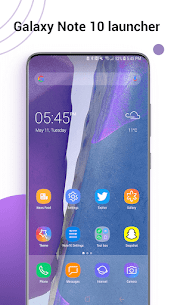
Galaxy Note20 Launcher transforms any Android 5.0+ device into a Galaxy Note 20 or S26 Ultra-style experience, offering thousands of themes, customizable gestures, app-hiding privacy tools, and a fully personalized home screen.

Bring the Galaxy Note Look to Any Android Device
Galaxy Note20 Launcher gives your phone the sleek, premium look and feel of a Galaxy Note 20 or S26 Ultra, no matter which Android device you actually own. The launcher works seamlessly across a wide range of devices, running smoothly on anything with Android 5.0 or higher. This means owners of the Galaxy Note9, Note10, and many other brands of phones can finally experience that signature Note-style interface without needing to buy a new device.
You install the launcher once, and it immediately reshapes your home screen, app drawer, and overall visual style to mirror the polished, modern design Samsung’s flagship Note series is known for. Whether your current phone feels outdated or you simply want a fresh new look, Note Launcher delivers an instant upgrade that makes your device feel brand new again.
Customize Your Home Screen With Thousands of Themes
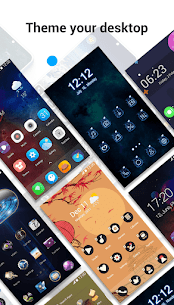
Personalization sits at the heart of Galaxy Note20 Launcher. The app gives you access to over 2,000 beautifully designed launcher themes, so you can constantly switch up your phone’s appearance to match your mood, the season, or your personal style. You never run out of fresh options to explore.
Beyond the built-in theme library, Note Launcher also supports nearly every third-party icon pack available on the Play Store. This means you can mix your favorite icon styles with the launcher’s Note20 theme pack, creating a home screen that feels uniquely yours. The launcher also offers a huge selection of beautiful online wallpapers, plus a daily wallpaper feature that automatically refreshes your background art, so your phone never looks stale.
Organize Your Apps Exactly the Way You Want
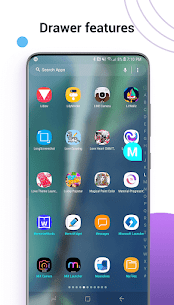
Note Launcher rebuilds your app drawer to make finding and organizing apps faster and more intuitive. You can choose between a horizontal or vertical drawer layout depending on what feels most natural to you, and you can use the built-in A-Z side bar to jump straight to any app without endless scrolling.
The launcher also gives you several folder styles to organize your apps visually, helping you keep your home screen clean and clutter-free. If you want your layout to stay exactly as you set it, you can lock your desktop arrangement so nothing shifts out of place by accident.
Control Every Visual Detail of Your Launcher
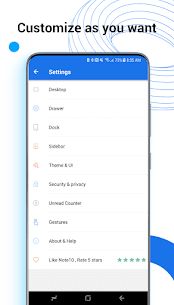
Galaxy Note20 Launcher puts an impressive level of control directly in your hands. You can adjust the launcher’s grid size, resize icons, toggle icon labels on or off, and even change the background color of your app drawer to match your chosen theme. Every visual element bends to your preference rather than locking you into a fixed design.
You can also customize your dock’s background style, choosing from rounded, arc, rectangle, or platform shapes to complete the look you’re going for. Combined with night mode and color mode support, you gain full command over how your phone looks and feels at any time of day.
Navigate Your Phone With Smooth, Intuitive Gestures
Note Launcher supports a wide range of gesture controls that make navigating your phone faster and more fluid. You can swipe up or down, pinch in or out, double-tap, or use two-finger gestures to trigger different actions and shortcuts. These gestures let you move through your phone naturally, without constantly hunting for buttons or menus.
This gesture support pairs perfectly with the launcher’s overall design philosophy: giving you a faster, smoother, more modern way to interact with your device, much like the experience you’d expect on a genuine Galaxy Note flagship.
Protect Your Privacy and Stay on Top of Notifications
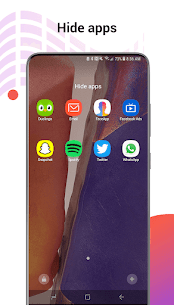
Privacy matters just as much as style, and Note Launcher addresses this directly by letting you hide and lock specific apps. This keeps sensitive apps out of sight and protected from prying eyes, giving you peace of mind whenever someone else picks up your phone.
The launcher also keeps you informed with unread counters and notifiers for missed calls, unread messages, emails, and more, so you never lose track of important updates. If you prefer a cleaner look, you can hide the notification bar entirely, giving your home screen an even more streamlined, minimalist appearance.
Download Galaxy Note20 Launcher and Upgrade Your Phone Today
Galaxy Note20 Launcher combines style, functionality, and control into a single powerful app that transforms how your phone looks and works. From thousands of themes and wallpapers to deep customization options, smart gesture controls, and built-in privacy tools, this launcher gives your device a complete makeover inspired by Samsung’s iconic Note series.
Don’t miss the chance to give your phone a brand-new identity. Download Galaxy Note20 Launcher now and discover just how stylish and powerful your Android device can become.
Developer's apps


Related apps


Latest Apps
-
 Naruto Shippuden: Ultimate Ninja Storm Generations0.4.9 BANDAI NAMCO Entertainment Inc. 14.60 MB Full Game
 -
 Drag Bike 201m Sunmori4.1 Mari Berkembang 141.56 MB Unlimited Coins
 -
 Trucks Off Road1.95.12797 ODD Games 1047.47 MB Unlimited Money
 -
 Subway Princess Runner8.6.9 Ivy 187.99 MB Unlimited Money
 -
 Rap Star311.0.1 DragonflyEntertainment 210.74 MB Unlimited Money
-