
Better Video Cutter

Images


Description
Discover a powerful and easy-to-use video editor that lets you cut, compress, and enhance videos without watermark, making sharing faster and more efficient.

Introduction: Powerful Video Editing Made Simple
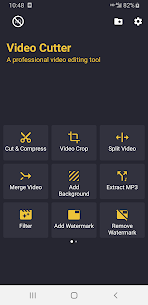
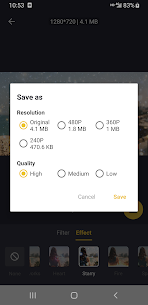
Better Video Cutter allows you to precisely trim and edit your favorite video moments with ease. You can reduce file sizes while maintaining high visual quality, making it effortless to share large videos across social media platforms or send them directly to friends. The app stands out because it delivers fast performance, completely free usage, and guarantees no watermark on your final output.
Cut & Compress Videos Efficiently
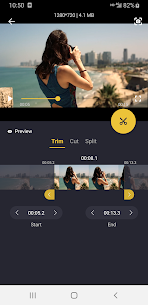
You can quickly trim or cut videos to match your desired length without sacrificing quality. The app also enables you to compress large files into smaller sizes while preserving clarity, making uploads and sharing significantly faster and more convenient.
Crop Videos for Any Platform
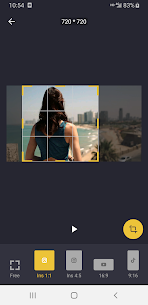
The app lets you crop videos into multiple aspect ratios to meet the standards of popular platforms. Whether you need formats like 16:9, 9:16, 1:1, or 4:5, you can easily adjust your content to fit perfectly on social media without distortion.
Apply Creative Effects & Filters
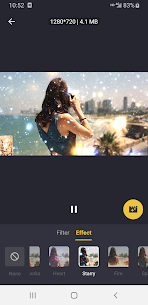
You can enhance your videos using a wide selection of filters and visual effects. From vintage styles like Retro VHS and Old TV to modern effects such as Neon, RGB, and Glitch-inspired visuals, the app provides creative flexibility to make your videos more engaging and unique.
Split Videos for Social Sharing
You can divide long videos into smaller segments tailored for platforms like WhatsApp or Instagram Stories. The app allows you to customize how many parts you want, ensuring your content fits perfectly within platform limits.
Add Background for Better Presentation
You can improve your video layout by adding backgrounds that match specific aspect ratios. The app supports both blurred and colorful backgrounds, helping your videos look polished and optimized for different social media formats.
Merge & Combine Clips Easily
You can merge multiple video clips or even photos into a single seamless video. This feature helps you create longer, more cohesive content without needing additional editing tools.
Convert Video to GIF
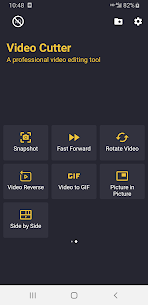
You can transform your favorite video moments into GIFs quickly. The app also allows you to adjust playback speed, whether you want to speed things up or create slow-motion effects for more expressive animations.
Extract Audio as MP3
You can easily extract audio from any video and save it as an MP3 file. This feature is useful when you want to reuse music, dialogue, or sound effects separately from the video.
Enhance Videos with Custom Music
You can personalize your videos by adding your own background music. The app lets you select tracks, adjust timing, and control volume levels to ensure the audio blends perfectly with your visuals.
Picture-in-Picture (PIP) Mode
You can combine two videos into one using the Picture-in-Picture feature. This allows you to overlay clips creatively, making your content more dynamic and visually appealing.
Rotate and Flip Videos
You can rotate videos by 90 degrees or flip them vertically and horizontally. This ensures your footage always appears correctly oriented regardless of how it was recorded.
Capture Precise Snapshots
You can capture still images from your video at exact moments, even down to milliseconds. This makes it easy to extract and share perfect frames instantly.
Reverse Videos for Creative Effects
You can reverse your videos at different speeds to create fun and unique visual effects. This feature adds a creative twist that can make your content stand out.
Add and Remove Watermarks Freely
You can add your own custom watermark using text or images to personalize your videos. At the same time, the app also allows you to remove existing watermarks quickly and completely free of charge.
No Automatic Watermark Guarantee
The app ensures that it never adds its own watermark to your videos. You maintain full control over your content, keeping it clean, professional, and ready to share without any unwanted branding.

Related apps


Latest Apps
-
 My Talking Tom Friends26.5.10.25510 Outfit7 Limited 182.33 MB Unlimited Money
 -
 Going Balls3.44 Supersonic Studios LTD 207.44 MB Unlimited Coins
 -
 Dominoes2.7.0 Loop Games 221.73 MB Unlimited Coins
 -
 MadOut2 BigCityOnline21.20 MadOut Games LLC FZ 1413.63 MB Unlimited Ammo
 -
 RFS – Real Flight Simulator4.0.0 RORTOS 441.33 MB Full Game
-